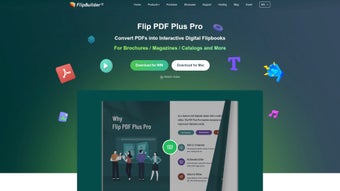

Download Flip PDF – Convert PDFs to Interactive Digital Magazines
Overview
Flip PDF, created by FlipBuilder, is a powerful Mac‑only application that belongs to the Business & Productivity category, specifically under Document Management. The core purpose of the software is to transform static PDF files into dynamic, magazine‑style publications that feel as natural as flipping through a printed booklet. By simply importing a PDF or a collection of text files, Flip PDF automatically generates a polished, interactive experience complete with realistic page‑turn animations, customizable backgrounds, and even optional background music.
This level of interactivity makes it an ideal tool for marketers, educators, authors, and anyone who wants to showcase content in a more engaging format. The program offers a library of ready‑made templates, allowing users to apply professional designs without any graphic‑design expertise. In addition, the output files are HTML5‑based, which means the resulting digital magazines can be viewed on any modern web browser without the need for plug‑ins, ensuring a smooth, secure, and cross‑platform distribution.
Whether you need to present a product catalog, a corporate annual report, or an educational handbook, Flip PDF provides the flexibility to embed hyperlinks, video clips, and interactive buttons, turning a simple PDF into a living, breathing document that captures the reader’s attention and encourages deeper interaction.
Key Features That Set Flip PDF Apart
- Realistic Page‑Turn Effect: Seamless 3‑D animations mimic the tactile feel of turning pages, creating a lifelike reading experience.
- Rich Template Library: Over 30 professionally designed templates allow quick styling of magazines, catalogs, brochures, and reports.
- Multimedia Integration: Embed videos, audio tracks, and background music directly into the publication for richer storytelling.
- Interactive Elements: Add hyperlinks, navigation buttons, and pop‑up windows to guide readers to external resources or internal sections.
- HTML5 Export: Publications are exported as responsive HTML5 files, guaranteeing compatibility with all major browsers and mobile devices.
- Customizable Animations: Control animation speed, page curl direction, and transition styles to match brand aesthetics.
- SEO‑Friendly Output: Generated HTML includes meta tags and searchable text, helping the digital magazine rank in search engines.
- Secure Publishing: Password protection, watermarks, and DRM options keep proprietary content safe.
- Batch Processing: Convert multiple PDFs at once, saving time for large projects.
- Regular Updates: The development team releases frequent updates to improve performance, add new templates, and ensure compatibility with the latest macOS versions.
Installation, Setup, and Everyday Usage
Getting started with Flip PDF is straightforward. After purchasing a license on the official FlipBuilder website, you receive a direct download link for the macOS installer (.dmg file). Double‑click the .dmg to mount the disk image, then drag the Flip PDF icon into your Applications folder. The first launch will prompt you to enter the license key; this step activates the full feature set and disables any trial limitations.
Once installed, the interface greets you with a clean dashboard. To create a new publication, click the “New Project” button and choose a template that matches your design vision. The import wizard then asks you to select the source PDF or a collection of text files. Flip PDF intelligently parses the PDF, preserving headings, images, and formatting while converting each page into an interactive canvas. If you wish to customize the look, the “Design” tab offers options to change background colors, add page shadows, and insert a custom logo.
Adding interactivity is as simple as dragging and dropping. For example, to embed a video, select the “Media” tool, draw a placeholder rectangle on the desired page, and paste the video URL or upload a local file. Similarly, the “Link” tool lets you highlight any text or image and attach a hyperlink, making navigation effortless for readers. When you’re satisfied with the layout, click “Publish.” The software generates a compressed HTML5 package that can be uploaded to a web server, shared via a cloud link, or embedded directly into a website using an iframe.
Ongoing usage is supported by an intuitive “Library” panel where all your projects are stored. From here, you can edit, preview, or re‑publish any magazine with a single click. The built‑in analytics module (available in the Pro version) tracks page views, click‑through rates, and user engagement, giving you actionable data to refine future publications. Overall, the installation process takes under five minutes, and the learning curve is gentle enough for beginners while still offering depth for power users.
Compatibility, System Requirements, Pros & Cons
Flip PDF is designed exclusively for macOS. Officially supported versions include macOS 11 (Big Sur), macOS 12 (Monterey), and macOS 13 (Ventura). The application requires a 64‑bit processor, at least 4 GB of RAM (8 GB recommended for large projects), and a minimum of 500 MB of free disk space for installation. For optimal performance during video embedding and high‑resolution image handling, a dedicated graphics card is advisable, though not mandatory.
Pros
- Intuitive drag‑and‑drop interface reduces the need for extensive training.
- High‑quality page‑turn animations create a premium reading experience.
- HTML5 output ensures cross‑platform accessibility without plug‑ins.
- Robust multimedia support (video, audio, background music) enhances engagement.
- SEO‑friendly publishing helps digital magazines rank in search results.
- Regular software updates keep the tool current with macOS changes.
- Batch conversion saves time on large‑scale projects.
- Secure publishing options protect intellectual property.
Cons
- Only available for macOS; Windows and Linux users must look for alternatives.
- Advanced features (analytics, DRM) are locked behind higher‑priced plans.
- Initial learning curve for users unfamiliar with interactive design concepts.
- Exported files can be large if many high‑resolution images or videos are embedded.
- No native mobile app for on‑the‑go editing; edits must be done on a Mac.
Review Summary: Flip PDF delivers a compelling blend of simplicity and power for creating interactive digital magazines on macOS. Its realistic page‑turn effects and multimedia capabilities make it a standout choice for marketers and educators alike. While the lack of Windows support limits its audience, Mac users will find the tool exceptionally valuable for turning static PDFs into engaging, shareable publications.
Frequently Asked Questions
Can I use Flip PDF on Windows?
No. Flip PDF is currently only available for macOS. Windows users can explore other FlipBuilder products like Flip HTML5, which offers similar functionality on Windows platforms.
Is there a free trial?
Yes, Flip PDF provides a 14‑day free trial with full feature access. After the trial expires, a license key is required to continue using the software.
What file formats can I export to?
The primary export format is HTML5, which creates a folder containing an index.html file and supporting assets. You can also export a self‑contained ZIP package for easy distribution.
Can I add password protection to my digital magazine?
Yes. Flip PDF includes security options that let you set a password, apply watermarks, and enable DRM to restrict copying or printing of the published content.
How does SEO work with Flip PDF publications?
During export, Flip PDF embeds meta tags, alt text for images, and searchable text layers. This makes the publication indexable by search engines, helping it appear in relevant search results.
Conclusion & Call to Action
In summary, Flip PDF stands out as a specialized Mac tool that transforms ordinary PDFs into captivating, interactive digital magazines. Its blend of realistic page‑turn animations, rich multimedia support, and SEO‑friendly HTML5 output equips businesses, educators, and creators with a powerful medium for storytelling and brand promotion. While the platform limitation to macOS and the premium pricing for advanced features may be considerations, the overall value—especially for users who already work within the Apple ecosystem—is compelling. If you’re looking to breathe new life into your static documents, showcase product catalogs with flair, or deliver immersive e‑learning materials, Flip PDF offers a secure, easy‑to‑use solution that delivers professional results without requiring a steep learning curve.
Ready to elevate your PDFs? Download Flip PDF now, start your free trial, and experience the difference an interactive magazine can make for your audience.







